
Slotaza Casino in Safari and Chrome Without Installing an App
On an iPhone, Slotaza Casino can be added directly to the Home Screen alongside other apps. However, it will still open through a browser, as the operator does not provide a dedicated iOS application. The same applies to Android: Chrome or another modern browser is sufficient, with no additional software to install.
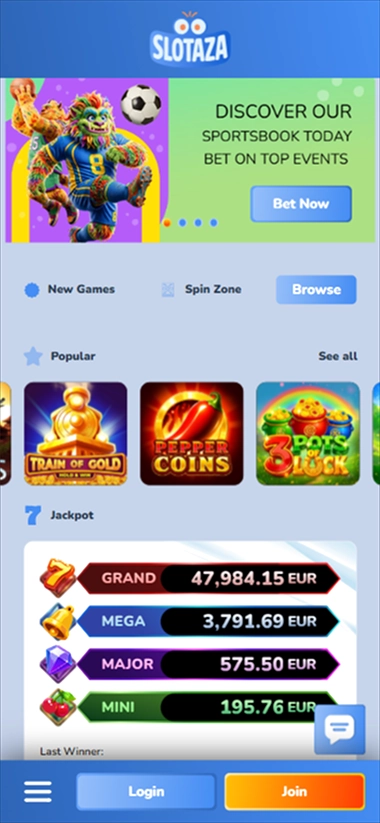
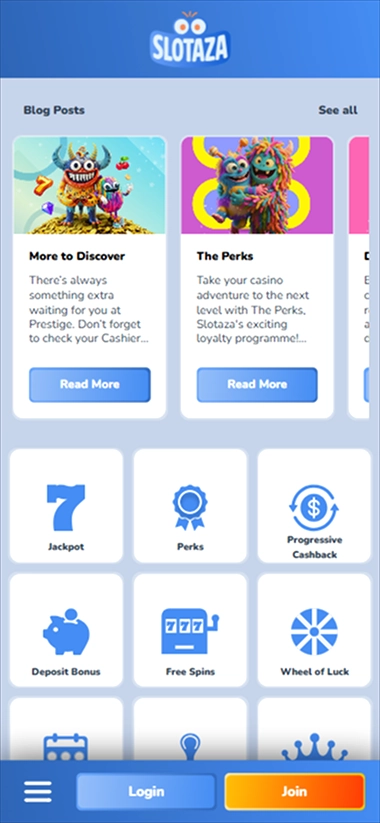
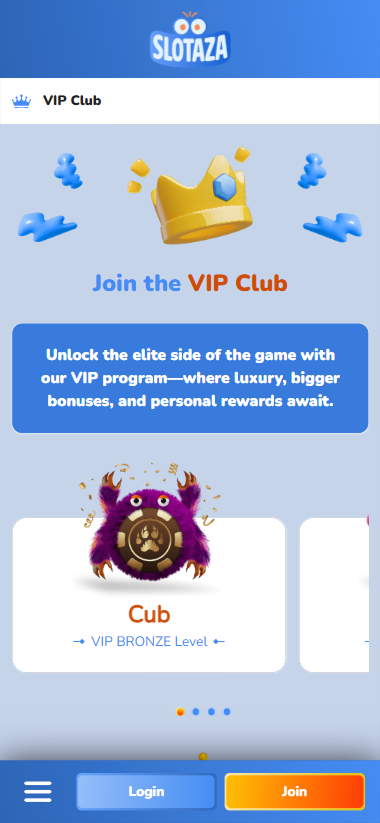
The mobile version is designed for smartphones and tablets. Pages adjust to different screen sizes while keeping the main sections and personal area accessible. An English-language interface is available to UK users, and the usual email-and-password login works across devices.
How the Mobile Interface Works
On a computer, navigation menus, gaming sections and other interface elements can occupy a considerable amount of space. A phone has a much smaller display, so the website uses a responsive layout.
Content adjusts to the width of the screen, with navigation and controls adapted for touch interaction. There is no separate mobile registration process or special profile for smartphone users.
One advantage of this approach is the consistent layout of the personal area. Anyone familiar with the main functions on a computer will not have to learn an entirely different system when switching devices.
Registration, login, personal settings, gaming sections and customer support are all accessible through a mobile browser. Some pages may require scrolling, however, as not everything can fit on the display at once.
Languages and Page Display
Four interface languages are available: English, French, German and Greek. British users can select English without changing their other personal settings.
The website’s language should not be confused with the phone’s system language. Even if the device is set to something else, the available interface options are determined by the operator.
Tablets use the same responsive website. There is no dedicated programme for iPad or separate application for Android tablets.
How to Add the Website to the Home Screen
There is no need to type the address into the browser every time. It can be saved as a bookmark or added to the Home Screen for quicker access.
Since there is no standalone Slotaza Casino App, a shortcut is the closest alternative to launching the website through a conventional app icon.
The steps depend on the operating system.
| Device | How to Add a Shortcut |
|---|---|
| iPhone and iPad | Open the website in Safari, tap Share, select Add to Home Screen and confirm |
| Android | Open the website in Chrome, open the browser menu, choose Add to Home Screen and save the shortcut |
An icon bearing the site’s name will then appear on the display. It can be moved to a convenient position or grouped with other shortcuts.
Adding an icon is optional. Anyone who prefers ordinary browser bookmarks can continue using the mobile version in exactly the same way.
What the Shortcut Actually Does
The icon does not contain a separate copy of the website or install a gaming client on the phone. Opening it loads the current web page.
This has three practical implications.
First, an internet connection is required for normal use. Gaming content and personal information are not stored within the shortcut for offline access.
Second, updates do not need to be downloaded manually. Changes appear directly on the website.
Third, deleting the icon does not affect the user’s profile. It simply removes a quicker way to open the page.
The operator does not advertise a separate mobile push notification service. The shortcut should therefore not be mistaken for a fully installed application with its own notifications and device settings.
Accessing Your Profile on Different Devices
Signing in requires the email address and password provided during registration. Login through Google, Facebook or other social services is not supported.
If a profile was created on a computer, it can be accessed from a smartphone without completing another registration form. Simply open the website and use the usual login fields.
The same applies when changing phones. For example, moving from Android to iPhone does not require transferring an installed gaming application or creating another profile.
Personal details are stored by the operator rather than inside the browser shortcut. This means the information and settings remain associated with the same user.
Why You May Need to Sign In Again
A browser may remember a login between visits, but this does not guarantee permanent access without entering a password.
Signing in again may be necessary after a session expires, browser data is cleared or a different device is used.
If the password has been forgotten, it can be reset through the email address linked to the profile. The login page provides a function for this purpose.
On a personal smartphone, a secure password manager can be useful. It avoids having to enter a long password manually on every visit.
Saving passwords on shared or unfamiliar devices is not recommended. It is better to sign out manually when finished.
What Does a Smartphone Need?
Opening Slotaza Casino does not require an installation from the App Store or Google Play. An up-to-date browser capable of displaying modern websites is sufficient.
Safari can be used on an iPhone, while Chrome is suitable for Android. Other compatible browsers, including Firefox, can also be used.
There are no separate storage requirements for installing an app because no installation package is provided. The browser still needs enough device resources to load pages and gaming content.
A stable internet connection is more important than having free storage space for a dedicated programme. This becomes particularly noticeable when using content that updates in real time.
Do Any Phone Settings Need to Be Changed?
Normal access does not require enabling installations from unknown sources or disabling Android’s standard security features.
On an iPhone, there is likewise no need to create additional device profiles or approve the installation of third-party software.
Once the website opens in a browser, its usual functions are sufficient for continued use.
Privacy settings can, however, affect whether login details are remembered. For example, deleting cookies may return the user to the sign-in page instead of the personal area they previously had open.
Using the Website Securely
Not having a dedicated app removes the need for an installation, but makes it particularly important to choose the correct website when signing in.
If a search result or message offers an APK file labelled Slotaza Casino, it should not be assumed to be an official mobile client. The operator does not advertise this method of software distribution.
The same caution applies to third-party offers of a special iPhone version. A browser is all that is needed for normal access.
When creating a shortcut, it is better to use a page whose address has already been checked. This ensures the icon opens the intended website rather than an unfamiliar search result.
Saved passwords also deserve attention. If several people use the same phone, automatic login to a gambling profile may be undesirable.
The phone’s standard screen lock and built-in password manager can help protect personal information. These features operate independently of the gambling website and restrict access to sensitive details.
If the Mobile Version Does Not Display Properly
Browser problems can appear in different ways. Sometimes an entire page fails to load; in other cases, a particular button stops responding or part of the interface extends beyond the visible screen.
It is worth checking the possible causes in order, starting with the simplest solutions.
| Problem | What to Try |
|---|---|
| The page will not open | Check the internet connection and reload the website |
| Interface elements appear incorrectly | Refresh the page and try another up-to-date browser |
| Opening the shortcut produces an error | Open the website directly in Safari or Chrome |
| The website repeatedly asks for a password | Check browser data settings and sign in again |
| The problem occurs on only one device | Test another browser and check for system updates |
If the browser is outdated, updating it may resolve compatibility problems. This is particularly relevant for pages with interactive features.
Clearing cookies and other browsing data is best left until an ordinary refresh has failed. Doing so may remove the saved login session.
How to Report a Technical Problem
If an issue persists, support is available through Live Chat or by email at [email protected].
For a technical enquiry, it is useful to specify the smartphone model, operating system, browser and page where the error occurred.
For example, explaining that a particular button does not respond in Safari on an iPhone is more informative than simply reporting that the mobile website is not working.
A screenshot can also be attached if necessary. Before sending it, check that no passwords, identity documents or confidential payment details are visible.
General information about the site, its gaming sections and terms of use is available on the main page.